
One thing building Telescopo Markdown Studio has changed for me is that accessibility can no longer sit in my head as the thing I promise myself I will care about later, after the main product is finished and the obvious features are shipped. I do not mean that in some polished corporate way, where every sentence sounds like it was pulled from an accessibility page nobody actually reads. I mean it in the much more basic and practical sense that a Markdown app is experienced through text, contrast, rhythm, font choice, document structure, toolbar behavior, and the amount of visual effort it asks from the person trying to read or write something.
Once you accept that, accessibility stops feeling like a separate lane and starts feeling uncomfortably close to the product itself. If the app opens quickly but the document is unpleasant to read, I have not really built a good reader. If the editor supports advanced Markdown but the controls are buried or the typography feels wrong, the feature may technically exist while still failing the person using it. That is the part Telescopo has made very obvious to me: software quality is not only whether the parser works, whether the export succeeds, or whether the feature list looks impressive on a website. It is also whether the app lets somebody stay with their work without making their eyes, memory, or patience pay for my design choices.
Markdown Is Not Disposable Text
Markdown is easy to underestimate because the syntax is intentionally simple. It looks like plain text with a few characters doing extra work, so it can be tempting to treat the rendering experience as a solved problem. But the files people actually keep in Markdown are rarely disposable. They are READMEs, technical specs, research notes, study guides, release plans, product requirements, AI reports, architecture documents, class notes, operating procedures, and the half-organized drafts people return to when they are trying to make sense of something complicated.
That kind of document is not only looked at once. It gets searched, scanned, revised, exported, compared, and reopened on a different day when the person's context is not the same as it was the first time. A developer reading a README is trying to understand a system well enough to change it. A student reading a study guide is trying to make something stick. A founder reading a product spec is usually trying to make a decision with imperfect information. In each case, the app is not merely displaying Markdown. It is becoming the surface the person is thinking through, and once the app becomes that surface, readability is no longer a visual preference sitting somewhere below the real feature work.
The Mac Already Knows Something About the User
One of the reasons I keep caring about native Mac software is that the Mac already knows a few things about the person using it. A user has probably chosen Light or Dark Appearance for a reason. They may have enabled Increase Contrast because subtle separation is harder for them to parse, or because stronger boundaries simply make the machine feel better to use. They may have changed display settings, input behavior, text preferences, or other accessibility settings over years of using their Mac. When my app opens, it is entering a relationship that already exists between the user and the system, and I think a native app should respect that before it decides it is special enough to invent its own reality.
That is why Telescopo supporting macOS Increase Contrast matters to me. Stronger visual separation is not a decorative alternate mode. In a Markdown document, structure carries meaning: headings, lists, block quotes, code blocks, task states, tables, links, diagrams, editor panes, preview panes, and toolbar controls all need to feel distinct enough that the user can build a mental map without fighting the screen. Better contrast makes that structure easier to scan, but more importantly it makes the app feel like it is listening to the user's Mac instead of behaving like a sealed web page dropped into a native window.
Light and Dark Appearance belong in the same conversation because a document app gets used in different physical and mental conditions. A bright room, a late-night documentation pass, a quick review on a laptop, and a long writing session on a large display are not the same experience. Telescopo has its own themes and I want the app to have personality, but personality cannot come at the cost of ignoring the system around it. This is where Apple's Human Interface Guidelines still matter to me, not because they replace taste, but because they remind you that platform behavior carries meaning before your app adds a single custom control.
Font Choice Should Not Be a Luxury Feature
The decision I feel most strongly about is making dynamic font selection available to free users. Telescopo can use fonts installed on the Mac, which means someone can choose the coding font, reading font, dyslexia-friendly font, or accessibility-focused typeface that already works for them. I do not think there is a universal perfect font for Markdown, because comfortable reading depends on the person, the display, the size of the text, the kind of document, the lighting in the room, and whether the user is casually scanning or trying to hold a long technical argument in their head.
It would have been very easy to put font selection behind Pro because customization is one of the obvious places software businesses try to create paid value. I understand that logic and I am not pretending every advanced feature should be free, but this specific control felt different to me. If a font makes text easier for someone to read, that should not become a toll booth. Paid features can exist around advanced export, templates, workflow depth, AI-assisted review, or other professional capabilities, but the basic ability to make Markdown readable in the way your eyes need it to be readable should be part of the floor of the product.
This is where the whole topic stops being abstract. A person who reads better with a dyslexia-friendly font does not need a speech about inclusive design in that moment. They need the app to let them choose the font. A developer comparing code blocks may need punctuation and symbols to be clearer. A writer reviewing a long essay may want a softer reading face than the one they use for source code. A person working on a small MacBook may need a different width and font size than the same person at a desk with a large display. Calling those choices cosmetic misses what is actually happening. They change whether the work feels fluid or whether the document slowly starts pushing back.
Accessibility and Visual Craft Are the Same Conversation
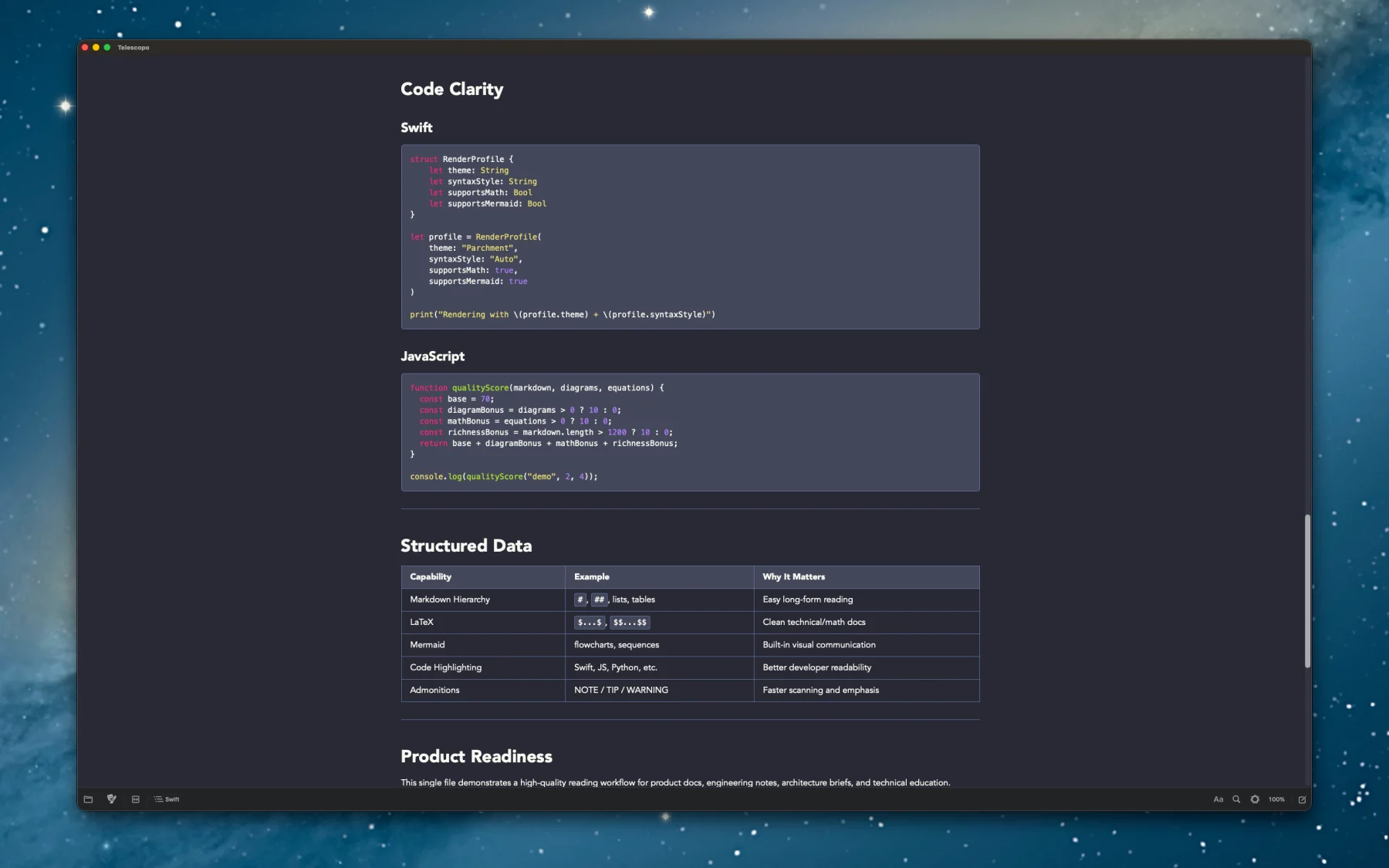
The themes in Telescopo taught me this lesson the hard way. A theme can look beautiful in one screenshot and fall apart the moment a real document shows up with headings, links, code blocks, Mermaid diagrams, LaTeX math, tables, callouts, editor surfaces, preview surfaces, selected states, muted labels, and export output all living together. Telescopo now has 30 themes, but the meaningful work has not only been making more of them. The work has been refining primary and secondary colors, matching font colors, coordinating code syntax colors, and making sure the theme still feels coherent when the document becomes dense.
Code syntax highlighting is a good example because it is very easy to pick colors that seem nice in isolation and then watch them become annoying inside an actual document. If two syntax colors sit too close together, the distinction disappears. If they are technically readable but visually harsh, the document becomes tiring. If the code block feels like it was imported from another app, the whole theme starts to feel assembled instead of designed. That is not merely taste. Color relationships affect how quickly someone can scan, how much effort it takes to separate one kind of information from another, and whether the app feels calm enough to stay inside for a while.
Mermaid diagrams have probably been the most painful and useful version of this problem. A diagram is not just text. It has lines, fills, labels, arrows, clusters, generated colors, and assumptions about background that were not necessarily made with your app in mind. A diagram that looks fine on a light background can become muddy on a dark one, and a diagram that survives dark mode can still be uncomfortable for somebody who needs higher contrast. Working through that forced Telescopo to treat Mermaid rendering as a real visual system: light and dark backgrounds handled separately, careful inversion where it helps, user-adjustable diagram backgrounds, and now dedicated high-contrast themes that make the app more useful instead of merely more configurable.
That is the part I want to keep carrying forward at Bad Command AI. Accessibility and craft are not in competition with each other. The craft is incomplete if the app ignores readability, and the polish is incomplete if the beautiful theme only works for the person who designed it. The better I get at building native Mac software, the less interested I am in treating accessibility as a side quest. It is part of the same product judgment as performance, privacy, typography, animation, rendering quality, and whether the interface feels like it belongs on the machine.
Still Learning
I do not want to pretend Telescopo is perfect. It is not, and I still have a lot to learn here. Supporting Increase Contrast, Light and Dark Appearance, high-contrast themes, and free dynamic font selection does not mean every accessibility problem is solved or that I get to declare the work finished. What it does mean is that accessibility has moved, for me, from something external to the product into the same place where I think about speed, privacy, rendering quality, native Mac behavior, visual grammar, and the small interactions that make software feel right or wrong.
If Telescopo opens a document quickly but makes it uncomfortable to read, that is not good enough. If it renders Markdown beautifully for one person but ignores the system preferences that make another person's Mac usable, that is not good enough either. The direction I care about is simple, even if the work underneath it is not: better software should feel better for more people. A Markdown Studio should help people think, write, read, review, and understand without making them wrestle the interface first.
If you care about Markdown tools that treat readability, native Mac behavior, themes, contrast, and font choice as part of the same product experience, Telescopo Markdown Studio is available at telescopo.app. The Telescopo resource on accessible Markdown writing on Mac also covers the current feature set in a more direct product format.
References: Telescopo Markdown Studio, Accessible Markdown Writing on Mac with Telescopo, and Apple's Human Interface Guidelines.